
Gift Certificate for a Stay in Lviv: How to Buy and Use It
 Leo Apartment
A gift certificate for a stay in Lviv from Leo Apartment is a present that lets the recipient choose the apartment, the dates and who to travel with. You simply pick an amount and pay online, and the recipient gets an email with the certificate card and a code.
This guide covers everything from A to Z: who the certificate suits, how to buy it for yourself or as a gift, how to use it when booking, what happens to the remaining balance and where to check it.
What Is a Leo Apartment Gift Certificate
The certificate is an electronic code in the format LEO-XXXX-XXXX for a set amount. You enter it in the “Promo code” field when booking any apartment on our website, and the price of the stay is reduced by the certificate amount.
The certificate covers the full cost of the booking: nights, additional services, taxes and fees. If the booking costs less than the certificate, the remaining balance does not expire with that booking and can be used next time.
Who the Certificate Suits
- A gift for loved ones. For a birthday, an anniversary, a wedding or New Year: instead of another object, you give a weekend in Lviv.
- Parents or friends who have long dreamed of a trip. They choose the dates and the apartment themselves.
- Colleagues and partners. A corporate gift that will actually be remembered.
- Yourself. If you plan a trip in advance, you can buy a certificate for yourself, especially with a special offer where the value is higher than the price.
Amounts and Terms
As of October 2026, the gift certificate page offers certificates of 500, 1000, 2000, 3000 and 5000 UAH, plus a special offer: a 10,000 UAH certificate for which you pay only 9,700 UAH.
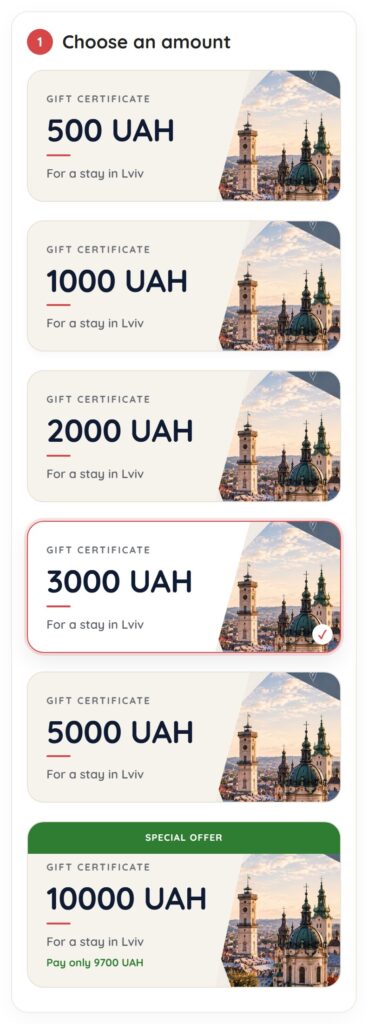
- Validity: up to 360 days, depending on the certificate. You see the exact validity when you choose an amount, and the date is in the email and in your account.
- Any apartment. The certificate works for all apartments on the website. If a seasonal stay period applies to a particular offer, it is stated in the email.
- The full cost. It covers nights, additional services, taxes and fees.
- The balance is kept and carries over to your next booking.
- One certificate per booking. The certificate cannot be combined with other discounts.
How to Buy a Certificate for Yourself or as a Gift
Buying takes a few minutes and has three steps.
- Choose an amount. Tap the card with the amount you want, and a preview of the certificate appears on the right (at the top on a phone).
- Say who it is for. Choose “For myself” or “A gift”.
- Fill in your details and pay. Your name, phone number and the email where the code and a copy of the gift will be sent. Accept the terms and pay by card on the bank’s secure page.
If you choose “A gift”, extra fields appear:
- Recipient name and email. You can leave the email blank: the code will then come only to you, and you can hand it over in person, for example in a card.
- Gift message. A few warm words the recipient will see together with the certificate.
- When to send. Right after payment or on a chosen date up to a year ahead. Handy for a birthday: until that date the recipient sees nothing.
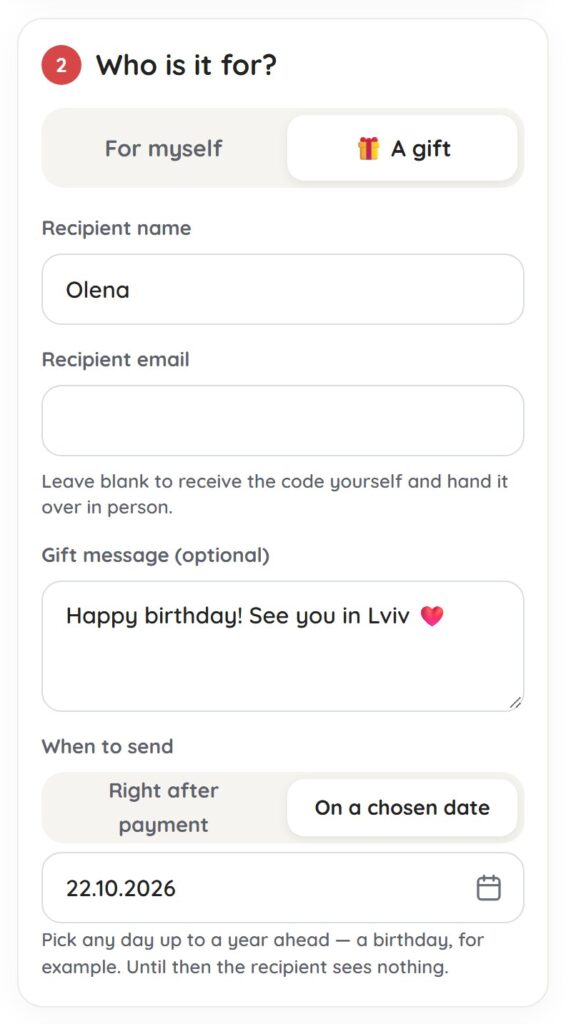
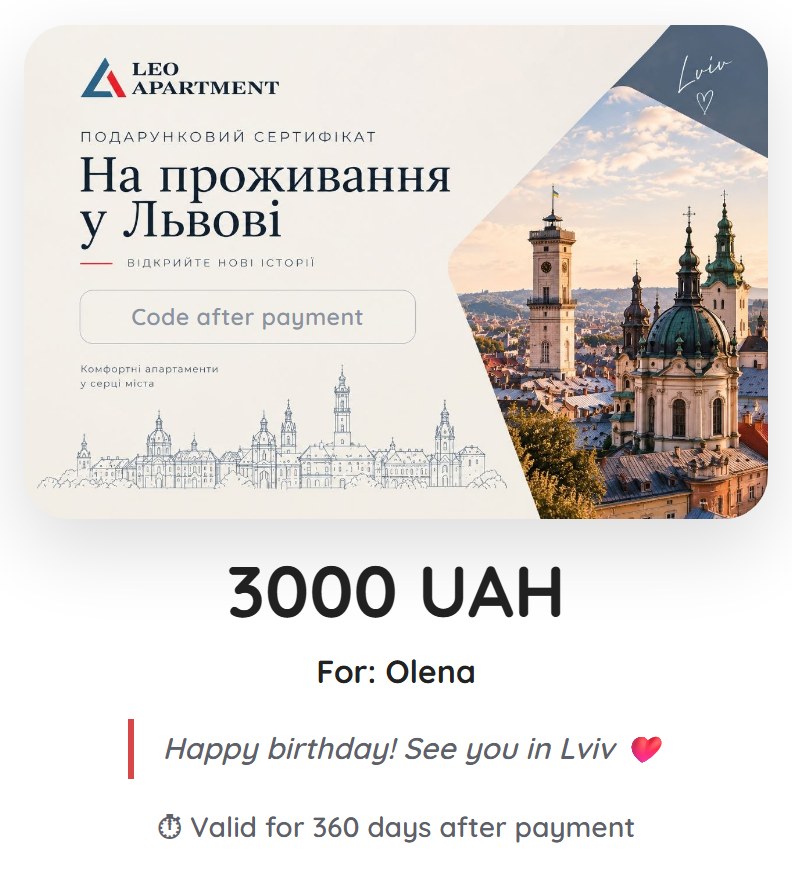
Everything you enter appears on the preview right away: the amount, the recipient’s name, the message and the validity.
What the Recipient Gets
The recipient receives an email with the certificate card and the code, along with your name and message. You get a copy too. If you chose a sending date, the email arrives on that day.
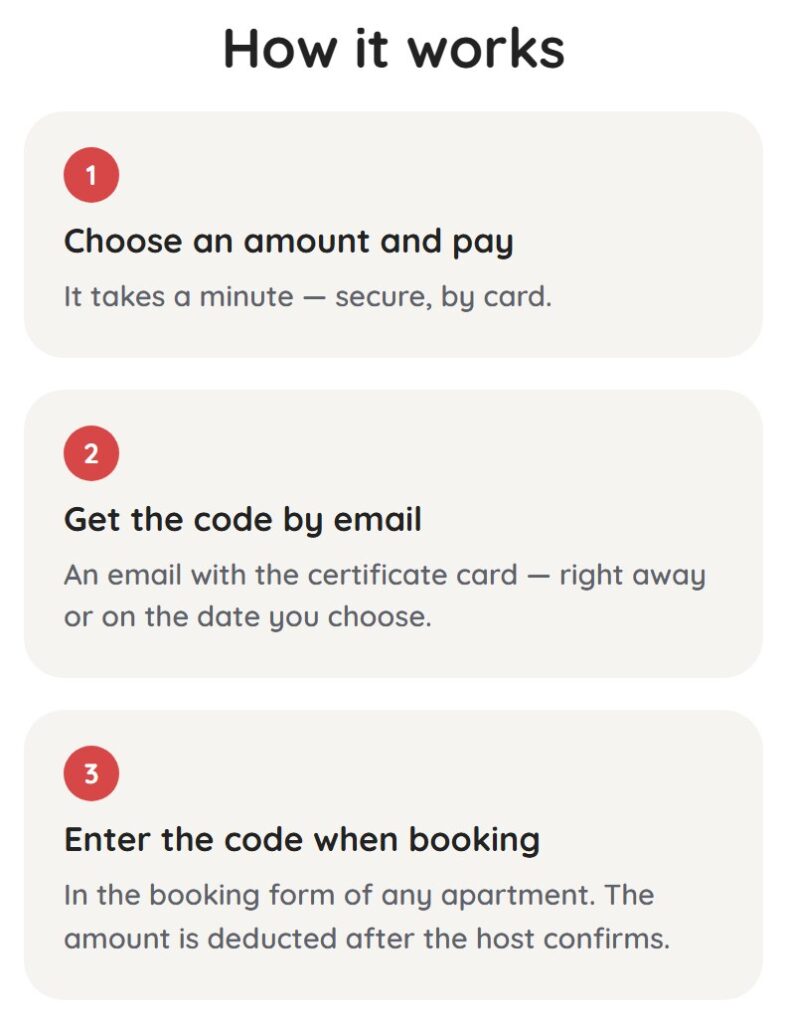
The “How it works” block on the certificate page shows the process step by step:
How to Use the Certificate When Booking
- Choose an apartment and dates in our catalogue of short-term apartments in Lviv.
- In the booking form, enter the code in the “Promo code” field and tap “Apply”: a certificate line appears in the price breakdown and the total drops.
- Send the booking request. The certificate amount is reserved for this request.
- Once the host confirms, the amount is finally deducted from the certificate. If the certificate covers the whole prepayment, you do not need to pay online: the booking is confirmed automatically.
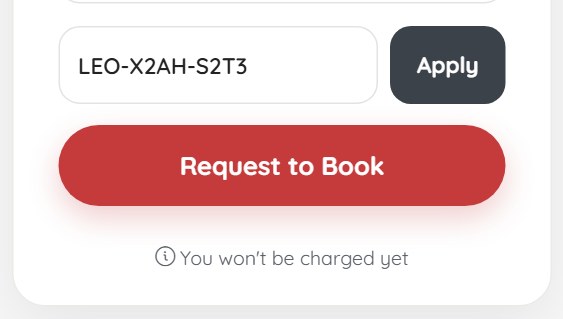
If the request is declined or the booking is cancelled before payment, the reservation is released and the full amount is available on the certificate again. The whole booking process is described in our online booking guide.
Remaining Balance
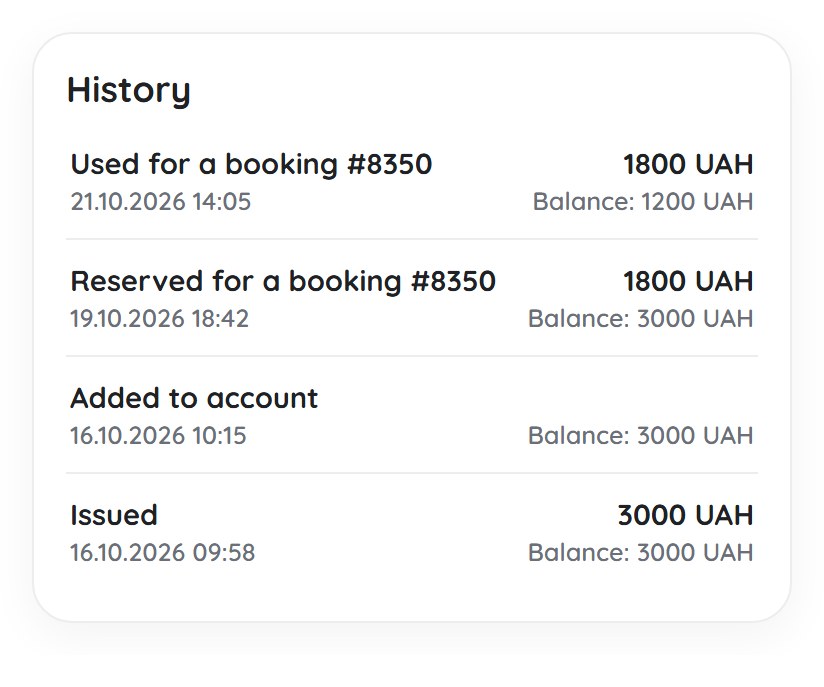
You do not have to use the certificate in one booking. For example, you have a 3,000 UAH certificate and the booking costs 1,800 UAH: after confirmation, 1,200 UAH remain on the certificate, and you can spend them on your next trip while the certificate is valid.
If the booking costs more than the certificate, it covers its amount, and you pay the difference as usual: a prepayment online and the rest at check-in.
The balance is shown in your account under “Profile” → “Certificates”:
- the current balance and the original amount (“1200 UAH of 3000 UAH”) with a usage bar;
- the status: “Active” or “Partially used”;
- the validity, who the gift is from and the message;
- the code on the card: tap it to copy it and paste it into the booking form.
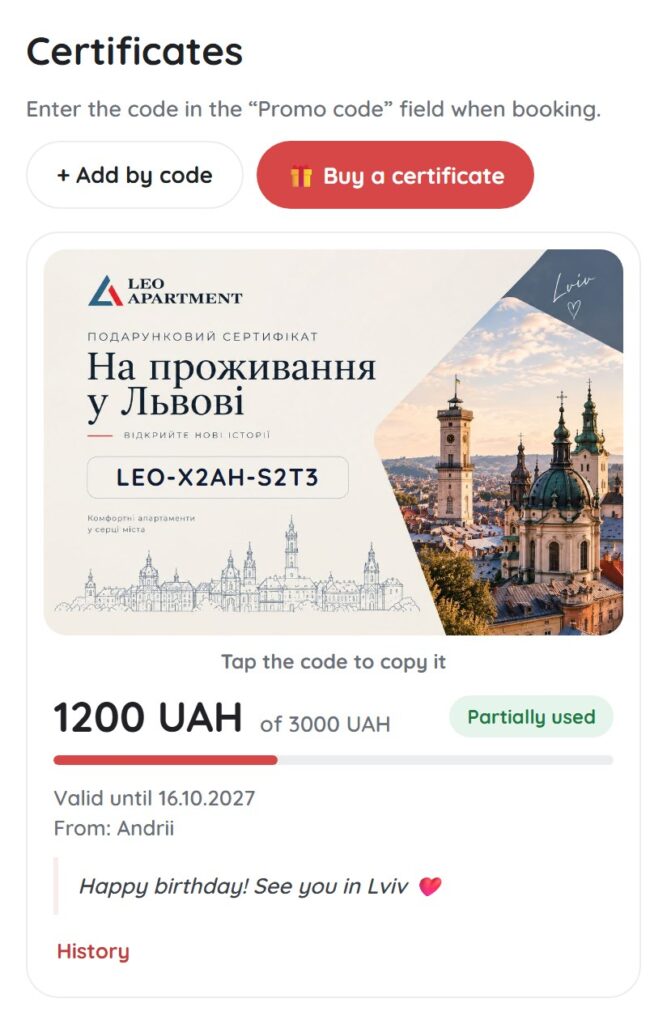
The “History” button opens a log of operations: when the certificate was issued and added to the account, when an amount was reserved for a booking and when it was deducted, with the balance after each operation.
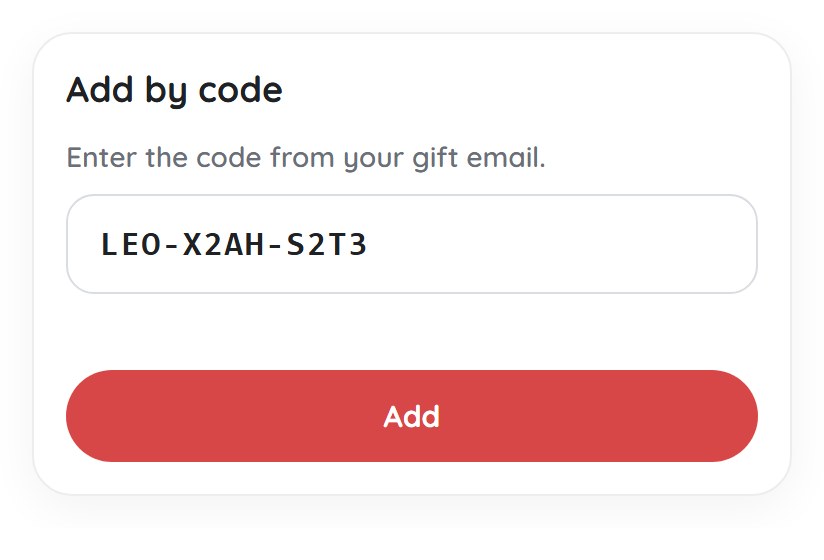
How to Add a Certificate to Your Account
If you received a certificate as a gift, add it to your account to see the balance and avoid searching for the email. In the “Certificates” section, tap “Add by code”, enter the code from the email and tap “Add”: the certificate appears in the list.
If a certificate is addressed to your account’s email, you will see a “There is a gift for you” prompt in your account. It is linked only after you enter the code from the email, so nobody else can claim it.
Useful Tips
- Plan ahead. Buy the certificate in advance and choose a sending date: the gift arrives on time even if you forget.
- Giving it in person? Leave the recipient’s email blank: the code comes to you, and you can write it in a card.
- Watch the validity. The expiry date is in the email and in your account.
- One code, one booking. Discounts and the certificate cannot be combined, so compare what works better for your trip.
Conclusion
A gift certificate for a stay in Lviv is an easy way to give a trip rather than a thing. You choose the amount and the date, and the recipient chooses the apartment, the dates and the company. The certificate covers the full cost, the balance is kept, and the balance and history are always at hand in the account.
Choose an amount on the gift certificate page and give a trip to Lviv today.
FAQ about Gift Certificates
How long is a gift certificate valid?
Up to 360 days; it depends on the specific certificate. You see it when you choose an amount on the certificate page, and the exact date is in the email and in your account.
Can I use the certificate in parts?
Yes. If the booking costs less than the certificate, the balance stays on it for future trips while it is valid.
What does the certificate cover?
The full cost of the booking: nights, additional services, taxes and fees.
Can I send the certificate on a specific date?
Yes. When buying, choose “A gift” and “On a chosen date”, up to a year ahead. Until then the recipient sees nothing.
Can the certificate be combined with discounts?
No. One certificate applies per booking, without other discounts.
Where can I check the remaining balance?
In your account: “Profile” → “Certificates”. You will find the balance, the validity and the history of operations there.




























































































































Join the discussion